Heimdall
Deployment intelligence platform
The dashboard the platform team checks every morning. One question: where is my ticket right now? Across a couple dozen services and four environments.
The environments view, live
The screenshots below are the real thing. This one you can poke at. Pick a ticket to trace it across the pipeline, toggle drift, or click any cell for the commit, pods and who shipped it. Mock data, real interaction model.
Five tabs, one question
Across a couple dozen services and a dev → QA → preprod → prod pipeline, the state of any given ticket is scattered. The commit's in Bitbucket. The desired state is in the GitOps repo. The pods are in Kubernetes. The test results are in the CI / test-report system. The ticket is in JIRA.
Heimdall started life as a small Python service that exposed DORA counters to Prometheus. Handy for leadership, but it didn't help anyone shipping a feature on a Tuesday afternoon. So I built a UI on top, and kept building until it was the first tab people opened.
It's now used daily by the engineering team and runs the morning stand-up.
A short tour
Six pages. Each one answers a question someone's about to ask in Teams.
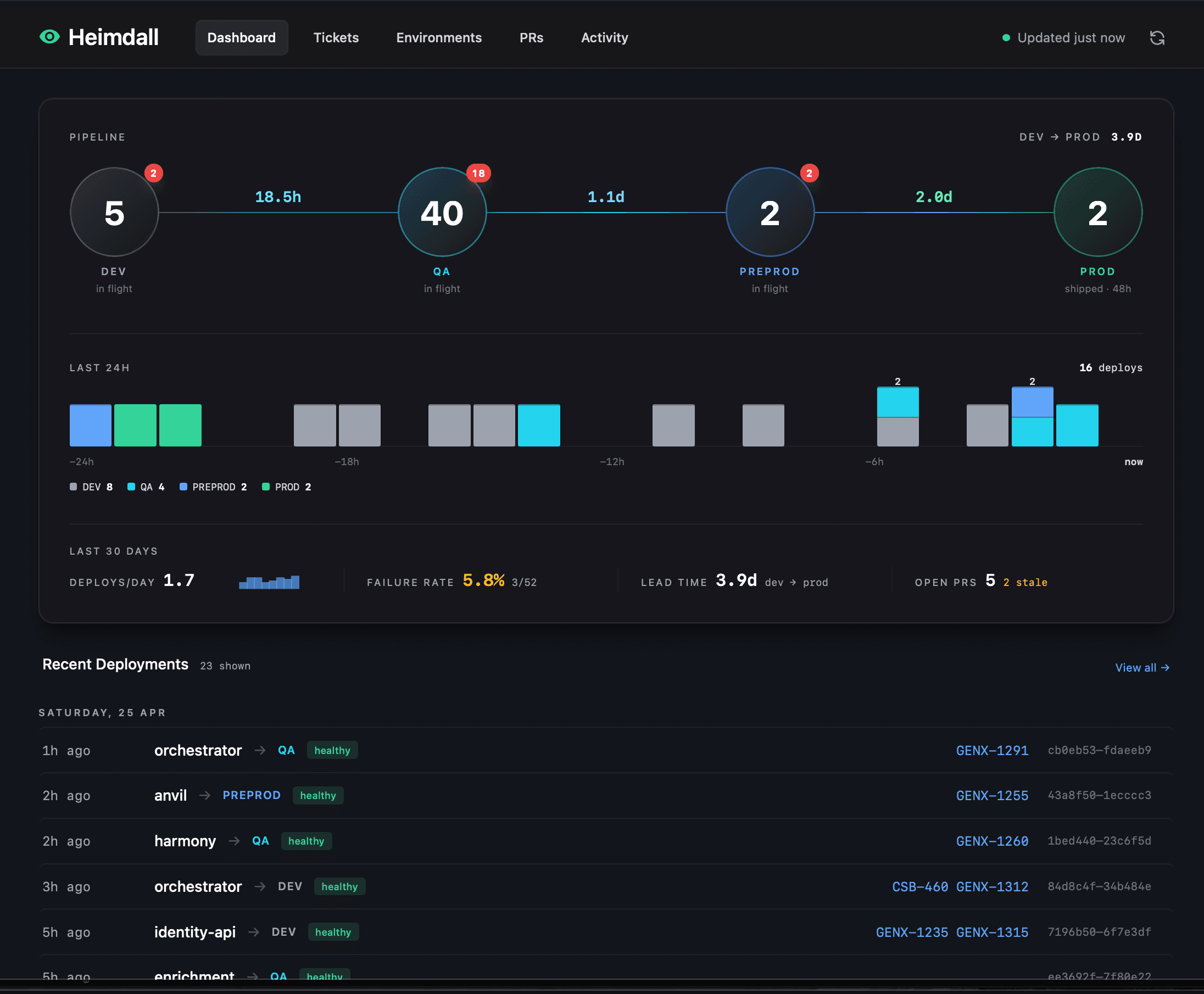
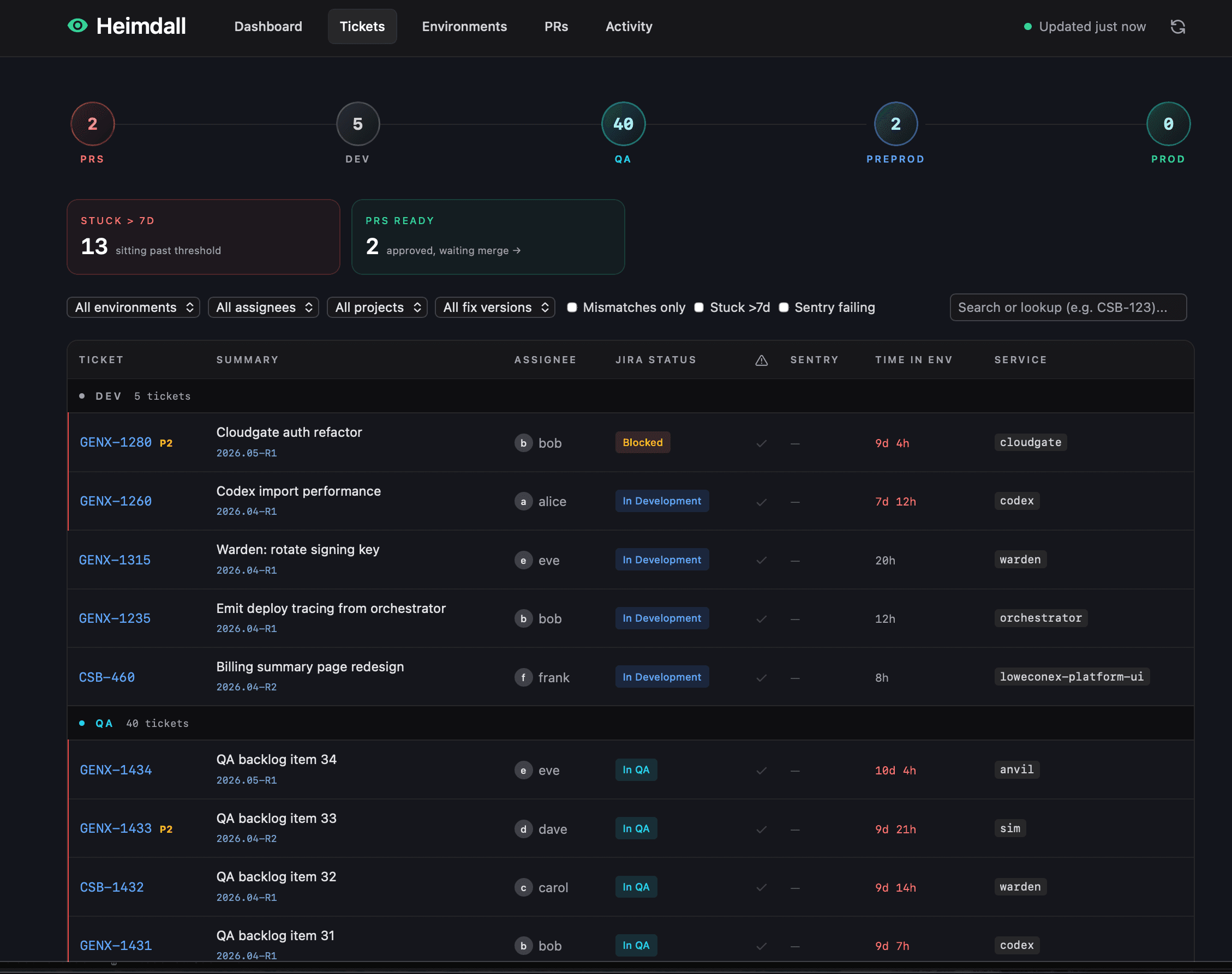
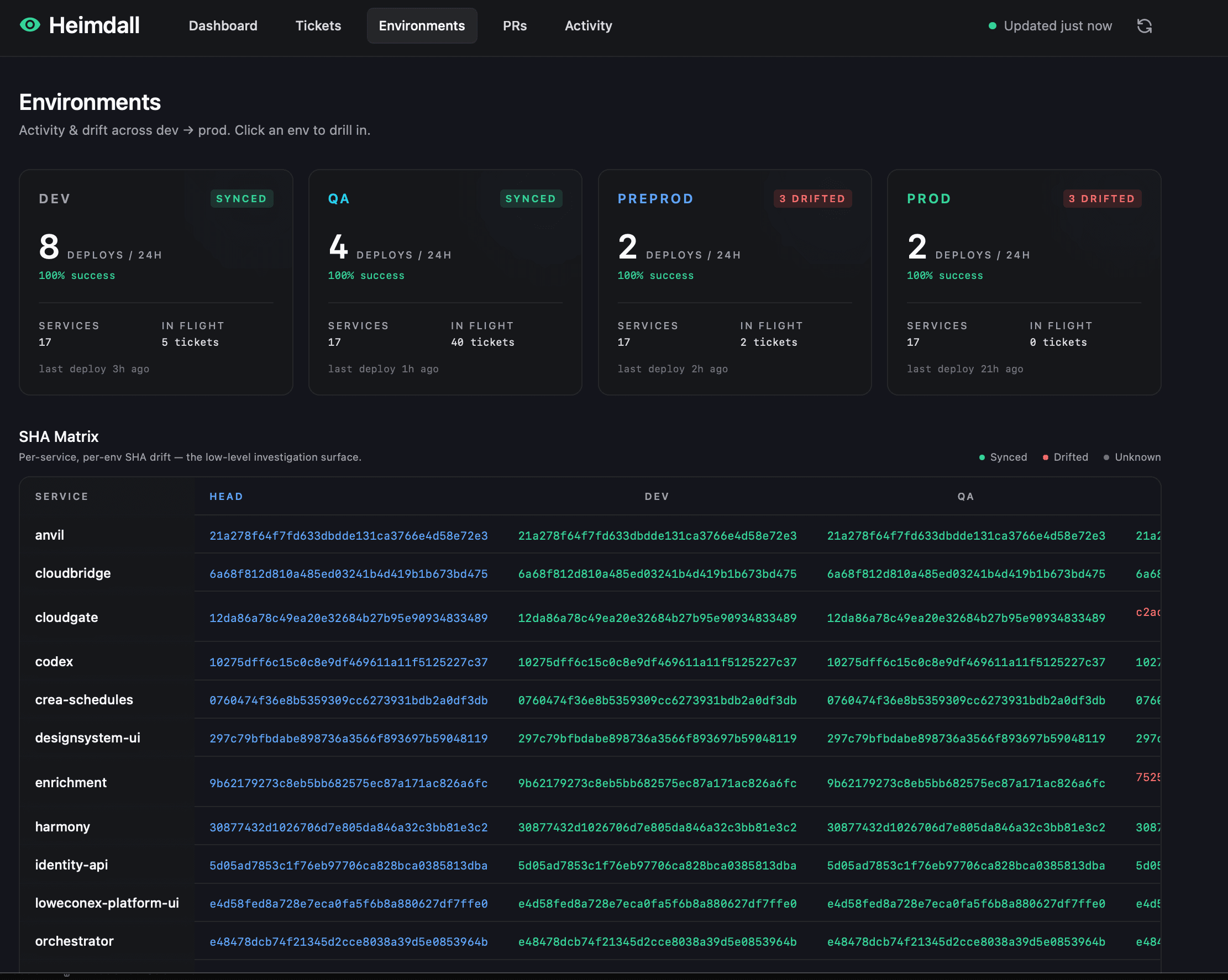
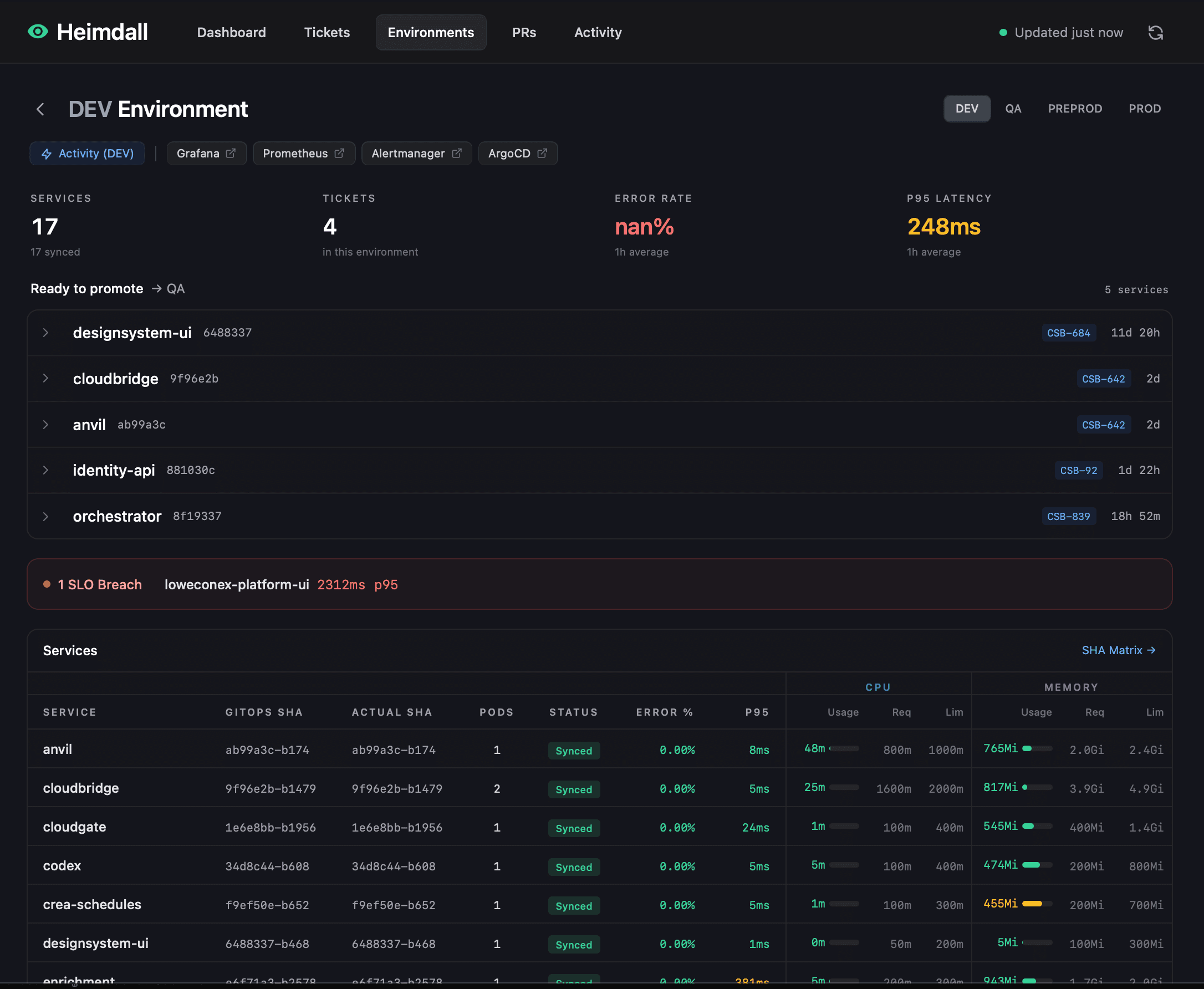
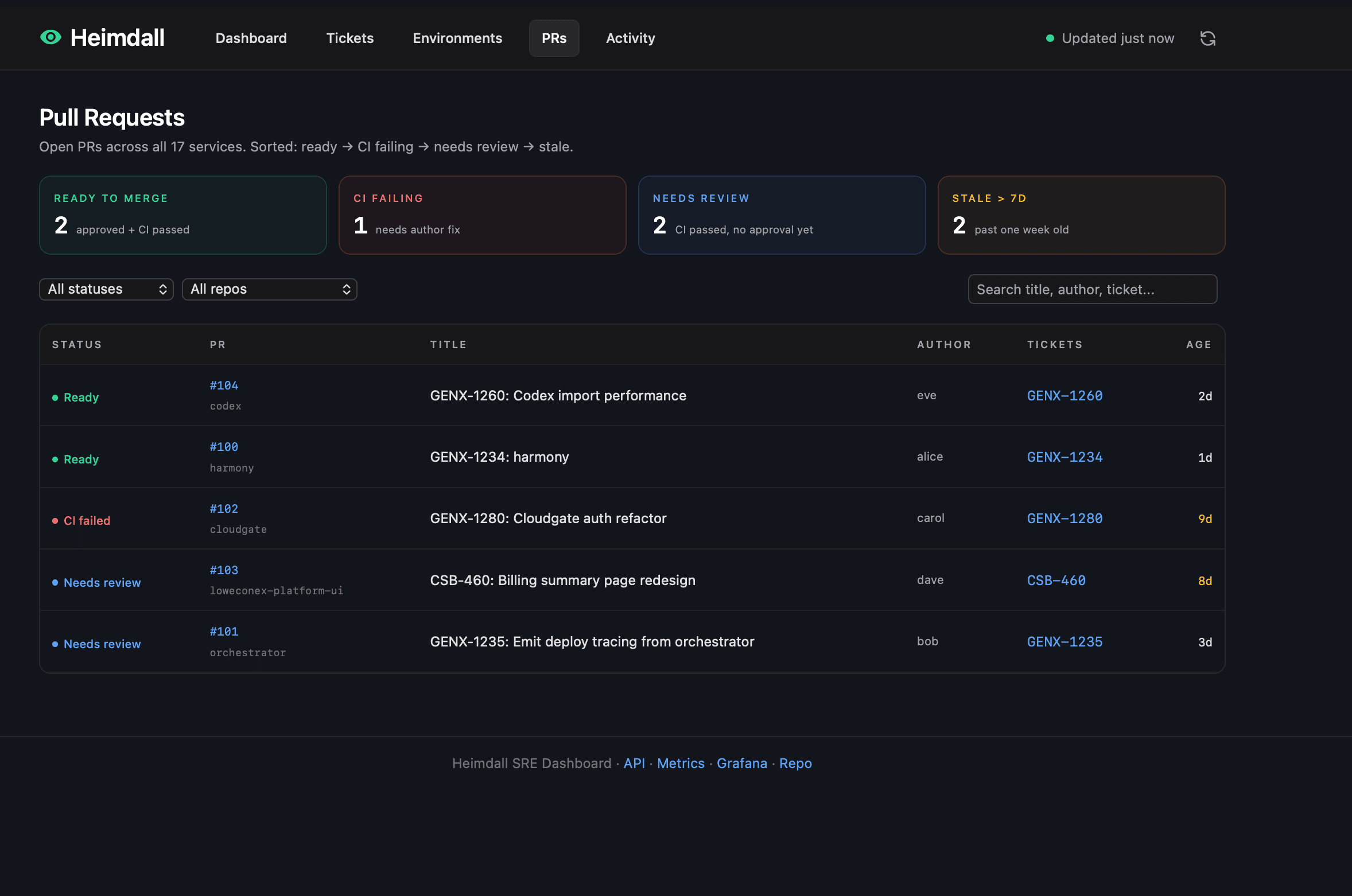
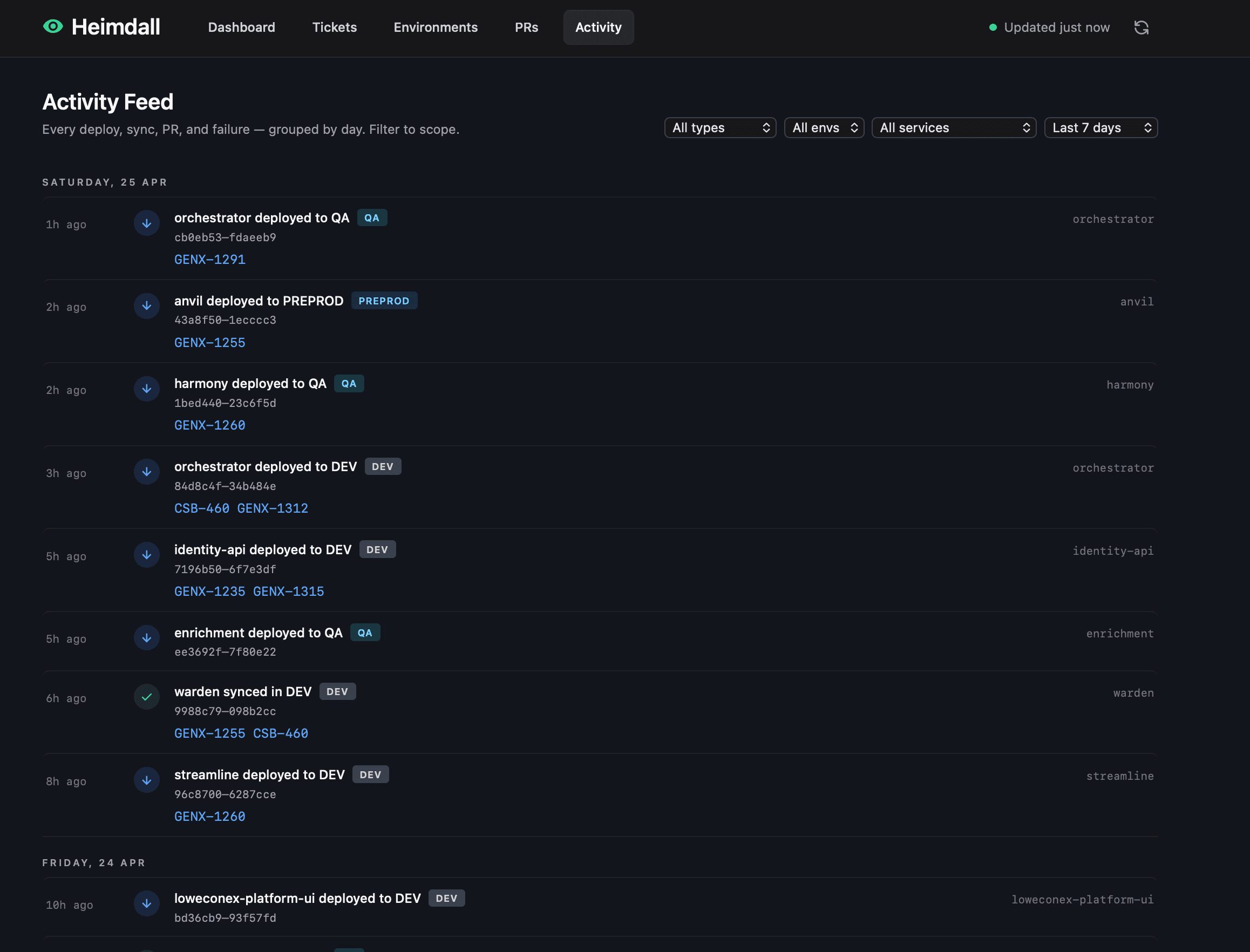
How it's built
One Python service. A background job pulls from the upstream sources every ten minutes and writes everything down: once into a database, once into an in-memory cache the web app reads from. The web app itself does no fetching, no joins, no slow work. That's the whole trick. Pages stay fast under load because the work happens elsewhere.
Heimdall · system overview
Click, tap or hover any node for a one-line explanation.
The data model thinks of a deployment as a lifecycle, not an event: PR merged → tag updated → pods healthy → tests pass. A database view joins them all into one queryable thing, which is what powers the pages above.
A few decisions worth flagging
Treat it as a product, not a script
The original DORA collector was a back-end service. Useful, but nobody opened it. The lesson I keep coming back to: if a tool doesn't have a place to look, it doesn't get used. The UI is what made the work matter.
Trust pods, not abstractions
ArgoCD will happily report a service as healthy while its new pods are crashlooping behind the scenes. Heimdall reads pod state directly, which means the dashboard stays honest in the cases that matter most.
Make it operable
The README opens with "is it healthy?" and answers it in one curl. Anyone on-call can diagnose Heimdall without reading the code. That's the bar I aim for whenever I hand work to a team.
What changed
services tracked
engineers using it daily
data freshness
to know if it's healthy
The numbers I care about most aren't in the table. The team stopped pasting kubectl output into Teams to ask if a deploy worked. Standup got shorter. Release management started using the same view as the engineers, which meant fewer dropped tickets at the seams. I'm still finding things to improve.
Thanks for reading.
If your standup still starts with kubectl output pasted into the chat, I'd enjoy that conversation.